The Hybrid Study System: Paper Planning Meets AI Scheduling
If you’ve ever meticulously color-coded a paper planner only to abandon it when life got chaotic, or felt overwhelmed by notifications from a dozen digital apps, you’re not alone. The secret to unbreakable focus and consistent progress isn’t choosing between paper or pixels—it’s strategically using both.
This guide introduces the Hybrid Study System, a method backed by cognitive science and modern technology. It leverages the memory-enhancing power of handwriting for big-picture strategy and the adaptive intelligence of AI tools for daily execution. By the end, you’ll have a clear, personalized framework to plan smarter, retain more, and study with less stress.
Why a “Hybrid” System Beats Going All-Digital or All-Paper
The debate between digital and paper planning is often framed as an either-or choice, but each has distinct cognitive and practical strengths.
The Paper Advantage (for Depth & Memory): Research indicates that the physical act of writing by hand engages your brain more deeply than typing. It’s linked to better understanding and long-term recall—a phenomenon supported by the generative processing theory. Writing is slower, forcing you to process and summarize information, which reinforces learning. Furthermore, the tactile satisfaction of checking off a task on paper provides a unique motivational boost that digital checks often can’t match.
The Digital Advantage (for Adaptability & Automation): Digital tools excel at managing complexity and change. They offer instant editing, cross-device syncing, and smart reminders that ensure you never miss a session. Most powerful for students are features like automatic spaced repetition scheduling, which uses algorithms (based on Ebbinghaus’s Forgetting Curve) to plan review sessions at the optimal time for memory retention. To dive deeper into the science behind this powerful technique, read our guide: Mastering Memory: How to Hack the Forgetting Curve for Academic Success.
The table below summarizes the core strengths of each approach, highlighting why relying on just one is limiting:
| Planning Aspect | Paper Planner Strengths | Digital/AI Planner Strengths |
|---|---|---|
| Memory & Cognition | Enhances retention & understanding through handwriting. | Provides analytics and data on study habits for informed adjustments. |
| Focus & Mindfulness | Reduces distractions from screens and notifications. | Uses timers (e.g., Pomodoro) to structure focused blocks and breaks. |
| Adaptability | Simple, no power or internet required. | Easily reshuffles tasks, adapts to changes, and syncs across devices. |
| Long-Term Tracking | Creates a tangible, personal record of your academic journey. | Automatically generates progress reports and visualizes trends over time. |
| Task Management | Ideal for brainstorming, big ideas, and weekly goal setting. | Excels at managing daily to-dos, recurring tasks, and complex scheduling. |
Building Your Hybrid System: A Four-Level Roadmap
Effective planning is a skill that develops in stages. This four-level model, adapted from productivity research, helps you diagnose your current habits and provides clear steps to advance using hybrid techniques. For a broader look at the philosophy of intelligent planning that underpins this system, our article on Smart Planning Secrets: How to 10X Your Productivity & Crush Your Goals offers a great foundation.
📍 Level 1: Reactive Tracking
-
State: You’re reacting to deadlines. Study happens sporadically when you find time, and plans are mostly mental.
-
Hybrid Action Step: Start by logging everything for one week in a simple notebook. Record not just study time, but also breaks, scrolling, and classes. Simultaneously, use an app like StudyWizardry to input all your syllabus deadlines. This creates both a tangible record and a digital safety net.
📍 Level 2: Proactive Frontloading
-
State: You create weekly schedules and to-do lists, but they are often overly ambitious and lead to tasks rolling over.
-
Hybrid Action Step: Use paper for your Sunday planning session to map out the week’s main goals and themes. Then, feed those priorities into an AI study planner. The AI can break down your “read Chapter 5” goal into specific, time-boxed daily tasks (e.g., “Answer questions 1-3 from Section 5.1”), making your plan more actionable.
📍 Level 3: Strategic Prioritization
-
State: You consciously rank tasks by importance and impact, focusing on what will most move the needle on your grades.
-
Hybrid Action Step: Practice the priority equation on paper:
(Exam Weight) x (Your Weakness in the Topic). Use this to identify your top 2-3 weekly targets. Then, use your digital planner’s smart scheduling to automatically defend time for these priorities in your calendar, ensuring they get your best energy.
📍 Level 4: Integrated Flow
-
State: Planning is a seamless, almost automatic ritual. You enter focused study sessions reliably and maintain momentum.
-
Hybrid Action Step: Your paper journal becomes a daily launchpad and log. Spend 5 minutes each morning reviewing your digital schedule and writing your key intention. After study sessions, jot down what you learned or a question you have. Meanwhile, your digital system handles the automation: it schedules your flashcard reviews via spaced repetition, triggers study reminders, and tracks your productivity metrics.
Weekly Hybrid Planning in Action: A Practical Workflow
Here is a sample weekly routine that puts the hybrid system into practice:
-
Sunday Evening (Paper Session – 20 min):
- Review the past week’s session log in your notebook.
- Write down the main objective for the upcoming week (e.g., “Achieve confidence in Organic Chemistry Mechanism #3”).
- List the 3-5 major tasks needed to get there.
- Open your AI planner (like StudyWizardry’s AI Study Planner) and generate or adjust your weekly schedule based on these priorities.
-
Weekday Morning (Digital Launch – 5 min):
- Check your digital calendar for today’s time-blocked sessions.
- In your notebook, write down today’s #1 focus task.
- Start your first focused block using the app’s built-in Pomodoro timer.
-
Weekday Study Session (Hybrid Execution):
- Work from your digitally scheduled task (e.g., “Complete 10 practice problems”).
- Use AI tools to overcome hurdles: summarize a complex PDF with the PDF Summarizer or generate a quiz on the fly with the Quiz Generator.
- On paper, handwrite a summary of the key concept you just practiced or work through the hardest problem step-by-step.
-
Weekday Evening (Paper Reflection – 5 min):
- In your notebook, briefly note what went well and one thing to improve.
- Check off completed digital tasks. Any unfinished items are automatically reconsidered by the AI for rescheduling.

How AI Tools Supercharge Each Part of the System
Modern AI study assistants are the perfect digital counterpart to your paper planner. They are not just schedulers but intelligent systems that automate the science of learning. To see how AI is revolutionizing more than just planning, explore our take in The ‘Lazy’ Student’s Guide to Top Grades: How AI is Rewriting the Rules of Productivity.
-
From Notes to Active Learning: Instead of just re-reading your handwritten notes, you can upload a photo of them to an AI Note Maker. The AI can then transform those notes into a set of flashcards for active recall or a practice quiz, forcing your brain to retrieve the information—a far more effective study method. This approach aligns perfectly with the neuroscience-backed strategies we discuss in Why Rereading Your Notes is a Waste of Time (And What Neuroscientists Recommend Instead).
-
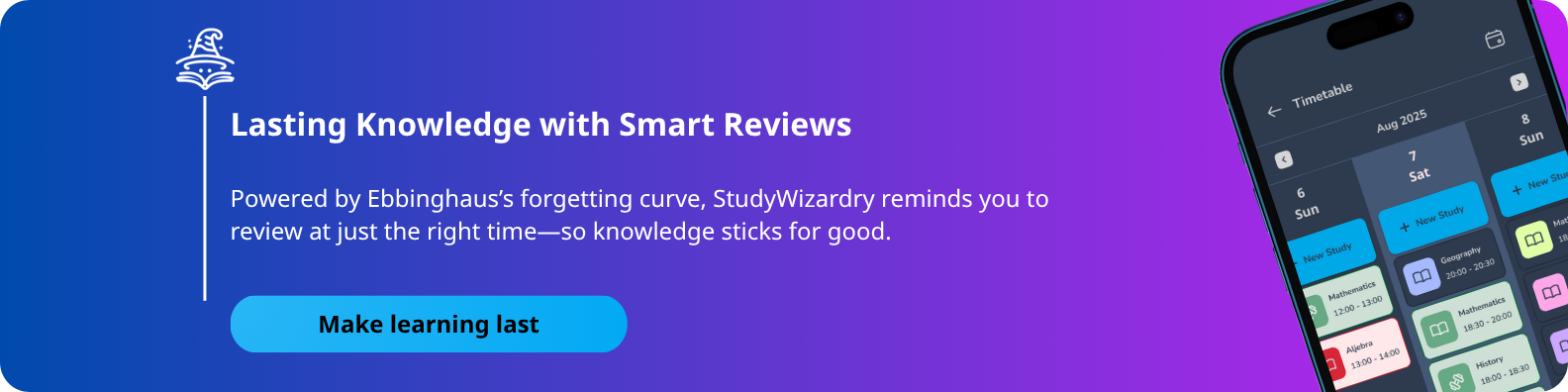
Intelligent Review, Automatically: Tools like StudyWizardry have a built-in spaced repetition engine. After you learn a topic and mark it in your system, the AI automatically schedules review sessions for you—the day after, a week later, etc.—to combat the forgetting curve. You just show up when the reminder pops up.
-
Data-Driven Insights: While your paper journal captures qualitative reflections (e.g., “felt distracted”), your digital dashboard provides quantitative data: total study hours, consistency streaks, and topic mastery percentages. Together, they give you a complete picture of your progress.
Getting Started: Your First Hybrid Setup
You don’t need a perfect system to begin. Start simple:
-
Choose Your Tools: Grab any notebook. For your digital half, try an all-in-one app like StudyWizardry, which combines an AI planner, flashcards, quiz generator, and summarizer in one place.
-
Define the Purpose: Clearly decide what each tool is for. For example: Paper = Weekly goals, brainstorming, lecture notes, and daily intentions. Digital = Daily task list, adaptive scheduling, active review sessions, and progress tracking.
-
Run a One-Week Experiment: Commit to the weekly workflow above for just one week. At the end, assess: Did you feel more in control? Did your study sessions feel more focused?
The goal is not to add more planning work but to make planning work for you. By letting paper handle what it does best (deep thinking, memory, intention) and letting AI handle what it does best (adaptation, automation, analytics), you create a study system that is both resilient and remarkably effective.
The key is to ritualize and time-box your planning. Limit your weekly paper planning session to 20-30 minutes and your daily check-ins to 5 minutes. The power of the hybrid system is that once the initial plan is set, the AI handles the daily adjustments and reminders, freeing your mental energy for the actual work.
Absolutely. The hybrid system is inherently multi-modal, which benefits all learning styles. Visual learners can sketch mind maps and diagrams in their paper journal and use digital tools to create color-coded calendars. Kinesthetic learners benefit greatly from the physical act of writing and can use digital tools to create interactive quizzes and flashcards, adding a tactile element to screen-based study.
Yes, this is where the hybrid system shines. Use your digital calendar and task manager for all collaborative elements—scheduling meetings, setting shared deadlines, and assigning tasks. Your planner then becomes your personal space to break down your portion of the group work, plan your individual contribution, and track your private goals related to the project.